Async/Await in JavaScript: Writing Cleaner Asynchronous Code
As JavaScript applications became more advanced, handling asynchronous operations started becoming messy. Tasks like fetching data from an API, reading files, or waiting for timers do not complete instantly, so JavaScript needs a way to manage these delayed operations.
Initially, developers used callbacks. Later, promises improved readability, but long chains of .then() and .catch() could still become difficult to manage.
To make asynchronous code cleaner and easier to read, JavaScript introduced async/await.
It allows asynchronous code to look more like normal synchronous code.
Why Async/Await Was Introduced
Before async/await, promises were commonly written like this:
fetchData()
  .then(function(result) {
    return processData(result);
  })
  .then(function(data) {
    console.log(data);
  })
  .catch(function(error) {
    console.log(error);
  });
This works, but multiple .then() calls can reduce readability.
Async/await was introduced as syntactic sugar over promises. It does not replace promises internally — it simply provides a cleaner way to work with them.
Promise vs Async/Await Flow
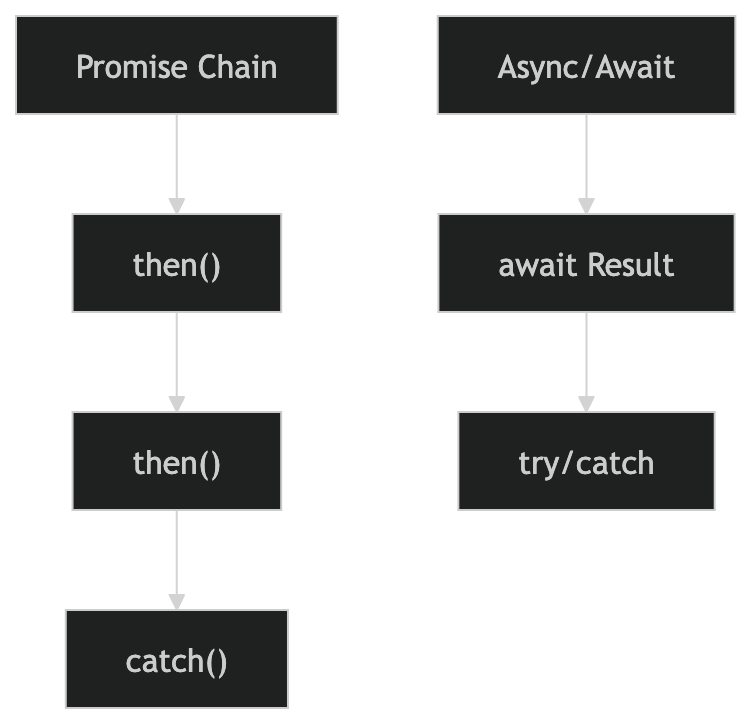
This comparison shows how async/await reduces nesting and improves readability.
How Async Functions Work
To use await, the function must first be marked as async.
Example:
async function greet() {
  return "Hello";
}

greet().then(console.log);
Output:
Hello
An async function automatically returns a promise.
Even though it looks like a normal return value, JavaScript wraps it inside a promise internally.
Understanding the await Keyword
The await keyword pauses execution inside an async function until a promise is resolved.
Example:
function fetchData() {
  return new Promise(resolve => {
    setTimeout(() => {
      resolve("Data received");
    }, 2000);
  });
}

async function getData() {
  const result = await fetchData();

  console.log(result);
}

getData();
Output after 2 seconds:
Data received
Here:
fetchData()returns a promiseawaitwaits for the promise to finishexecution continues after the result is available
Async Function Execution Flow

This flow explains how JavaScript pauses and resumes execution using await.
Comparing Promises with Async/Await
Promise Version
fetchData()
  .then(result => {
    console.log(result);
  })
  .catch(error => {
    console.log(error);
  });
Async/Await Version
async function getData() {
  try {
    const result = await fetchData();

    console.log(result);
  } catch(error) {
    console.log(error);
  }
}
The async/await version often feels easier to read because it looks more like regular step-by-step code.
Error Handling with Async Code
Errors inside async functions are usually handled using try...catch.
Example:
function fetchUser() {
  return new Promise((resolve, reject) => {
    reject("User not found");
  });
}

async function getUser() {
  try {
    const user = await fetchUser();

    console.log(user);
  } catch(error) {
    console.log(error);
  }
}

getUser();
Output:
User not found
This approach makes async error handling cleaner and easier to understand.
Why Async/Await Improves Readability
Async/await helps developers:
write cleaner asynchronous code
reduce promise chaining
improve readability
debug code more easily
It becomes especially useful when handling multiple asynchronous operations in larger applications.
Real-World Use Cases
Async/await is commonly used in:
API calls
database queries
authentication systems
file handling
loading user data
Modern frontend frameworks and backend applications use async/await extensively.
Assignment Practice
Create a simple promise.
function fetchMessage() {
  return new Promise(resolve => {
    setTimeout(() => {
      resolve("Message received");
    }, 2000);
  });
}
Use async/await to handle the promise.
async function showMessage() {
  const message = await fetchMessage();

  console.log(message);
}

showMessage();
Handle errors using try...catch.
function fetchData() {
  return new Promise((resolve, reject) => {
    reject("Something went wrong");
  });
}

async function getData() {
  try {
    const result = await fetchData();

    console.log(result);
  } catch(error) {
    console.log(error);
  }
}

getData();
Experiment with different delays and promise results in the browser console to better understand how async functions pause and resume execution.