Error Handling in JavaScript: Try, Catch, Finally
While writing JavaScript programs, errors are unavoidable. Sometimes a variable is undefined, sometimes user input is invalid, and sometimes something unexpected happens during execution.
If errors are not handled properly, the program may stop running completely.
That’s why JavaScript provides error handling tools like:
trycatchfinally
These help programs fail gracefully instead of crashing suddenly.
What Are Errors in JavaScript?
An error is a problem that occurs while the program is running.
Example:
console.log(username);
Output:
ReferenceError: username is not defined
Here, JavaScript throws an error because the variable does not exist.
Some common JavaScript errors are:
| Error Type | Meaning |
|---|---|
| ReferenceError | Variable does not exist |
| SyntaxError | Invalid syntax |
| TypeError | Invalid operation on a value |
Errors are useful because they help developers identify problems in code.
Why Error Handling Matters
Without error handling, a single error can stop the execution of the entire program.
Good error handling helps:
prevent application crashes
improve debugging
display user-friendly messages
make applications more reliable
Instead of showing confusing errors to users, developers can handle issues properly and continue execution safely.
Understanding Graceful Failure

Using try and catch
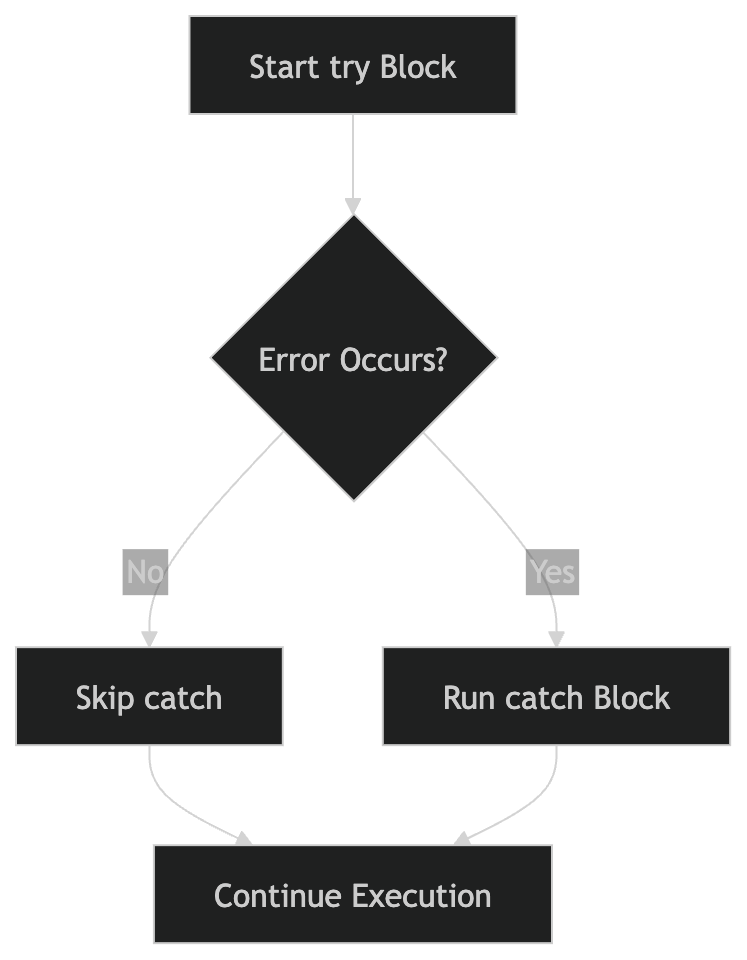
The try block contains code that may produce an error.
The catch block runs if an error occurs.
Syntax
try {
  // risky code
} catch(error) {
  // handle error
}
Example
try {
  console.log(userName);
} catch(error) {
  console.log("Something went wrong");
}
Output:
Something went wrong
Instead of crashing, the program handles the error safely.
Understanding the Error Object
The catch block receives an error object that contains information about the problem.
Example:
try {
  console.log(userName);
} catch(error) {
  console.log(error.message);
}
Output:
userName is not defined
This is useful for debugging.
Error Handling Flow
The finally Block
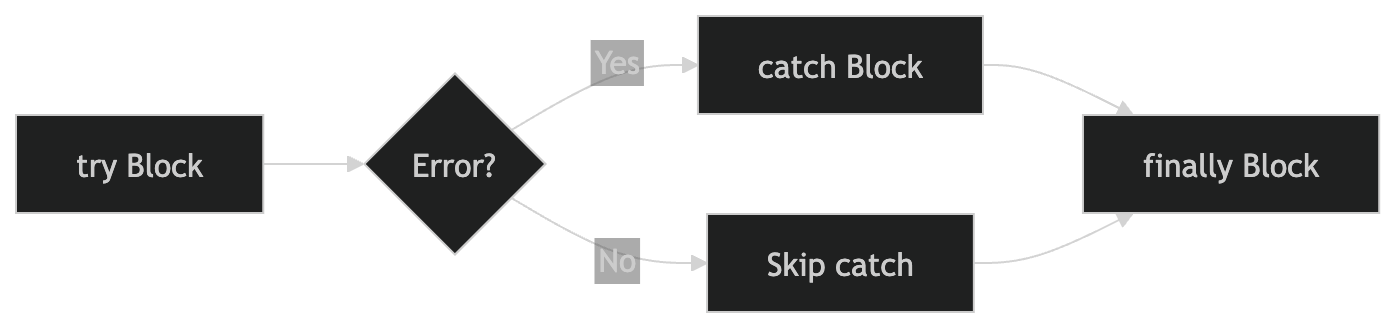
The finally block always executes whether an error occurs or not.
It is commonly used for cleanup tasks.
Example
try {
  console.log("Inside try block");
} catch(error) {
  console.log("Error occurred");
} finally {
  console.log("Finally block executed");
}
Output:
Inside try block
Finally block executed
Even if there is no error, the finally block still runs.
Try → Catch → Finally Execution Order
Throwing Custom Errors
JavaScript also allows developers to create their own errors using the throw keyword.
Example:
function checkAge(age) {
  if (age < 18) {
    throw new Error("Age must be 18 or above");
  }

  console.log("Access granted");
}

try {
  checkAge(15);
} catch(error) {
  console.log(error.message);
}
Output:
Age must be 18 or above
Custom errors help make validation and debugging clearer.
Real-World Use Cases
Error handling is used in many practical situations:
validating form input
handling API request failures
checking login credentials
reading files
handling payment processing errors
Without proper error handling, applications would be much harder to use and debug.
Assignment Practice
Create a simple try-catch example.
try {
  console.log(user);
} catch(error) {
  console.log("Variable not found");
}
Use the finally block.
try {
  console.log("Trying...");
} catch(error) {
  console.log("Error");
} finally {
  console.log("Execution completed");
}
Throw a custom error.
function divide(a, b) {
  if (b === 0) {
    throw new Error("Cannot divide by zero");
  }

  return a / b;
}

try {
  console.log(divide(10, 0));
} catch(error) {
  console.log(error.message);
}
Experiment with different errors in the browser console to better understand how JavaScript handles unexpected situations.