JavaScript Arrays 101

When you start writing programs, you’ll quickly notice something: storing individual values in separate variables becomes messy very fast.
Imagine you want to store your five favorite movies.
You could do this:
let movie1 = "Inception";
let movie2 = "Interstellar";
let movie3 = "The Dark Knight";
let movie4 = "Avengers";
let movie5 = "Titanic";
This works, but it’s not very practical. Managing lots of variables like this becomes difficult.
That’s where arrays come in.
Arrays allow us to store multiple values inside a single variable.
What Are Arrays and Why Do We Need Them?
An array is simply a collection of values stored in order.
Instead of creating multiple variables, we can store everything in one structure.
Example:
let movies = ["Inception", "Interstellar", "Titanic", "Avengers", "The Dark Knight"];
Now all movie names are stored inside one variable called movies.
This makes data easier to manage, especially when dealing with lists like:
favorite movies
marks of students
to-do tasks
product lists
Arrays are extremely common in real-world applications.
How to Create an Array
In JavaScript, arrays are created using square brackets [].
Example
let fruits = ["Apple", "Banana", "Mango", "Orange"];
Here:
fruitsis the array nameEach item inside the brackets is an element
Arrays can store different types of values as well.
let data = ["Ritesh", 22, true];
But usually it's better to keep similar types together for clarity.
Accessing Elements Using Index
Every item inside an array has a position number called an index.
Important thing to remember:
=> Array indexing starts from 0
Example:
let fruits = ["Apple", "Banana", "Mango"];
Apple → index 0
Banana → index 1
Mango → index 2
Accessing Values
console.log(fruits[0]); // Apple
console.log(fruits[1]); // Banana
console.log(fruits[2]); // Mango
Visualizing Array Index and Values
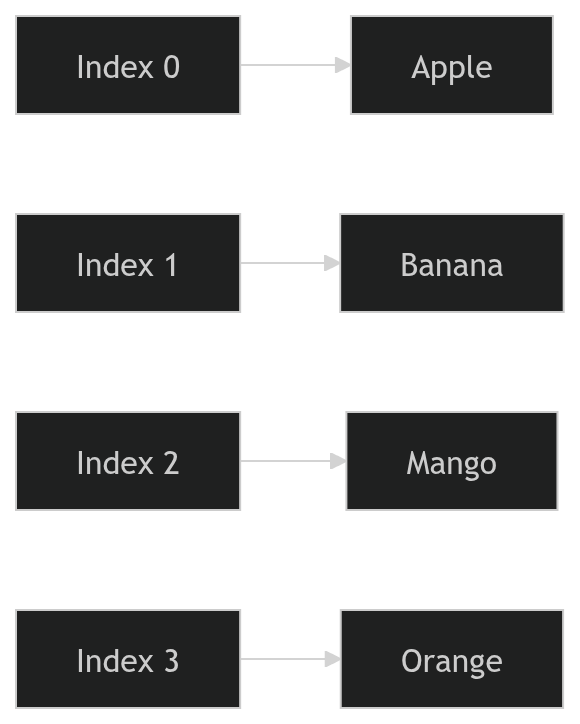
This diagram shows how each index points to a value in the array.
Updating Elements in an Array
We can also change values inside an array.
Example:
let fruits = ["Apple", "Banana", "Mango"];

fruits[1] = "Pineapple";

console.log(fruits);
Output:
["Apple", "Pineapple", "Mango"]
Here we replaced Banana with Pineapple.
Arrays are flexible, which makes them very useful.
Understanding the Array length Property
JavaScript arrays have a built-in property called length.
It tells us how many elements are inside the array.
Example:
let fruits = ["Apple", "Banana", "Mango", "Orange"];

console.log(fruits.length);
Output:
4
This is very helpful when working with loops.
How Arrays Are Stored (Conceptual View)
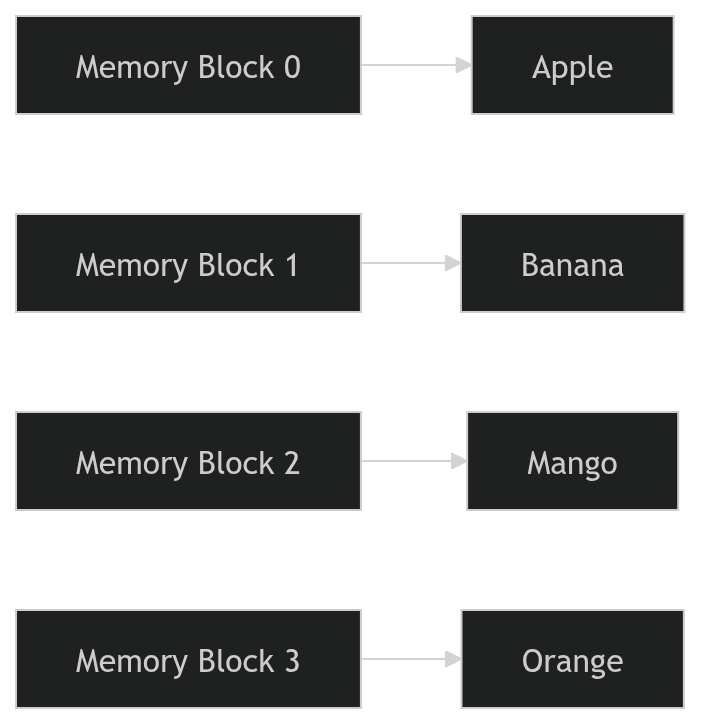
You can imagine an array like boxes placed next to each other in memory, each holding one value.
Looping Through Arrays
Instead of accessing elements one by one, we usually loop through arrays.
The most common beginner-friendly way is using a for loop.
Example:
let fruits = ["Apple", "Banana", "Mango", "Orange"];

for (let i = 0; i < fruits.length; i++) {
  console.log(fruits[i]);
}
What happens here:
istarts at 0It increases until it reaches the array length
Each iteration prints the next element
Output:
Apple
Banana
Mango
Orange
Assignment Practice
Create an Array of 5 Favorite Movies
let movies = [
  "Inception",
  "Interstellar",
  "Avengers",
  "Titanic",
  "The Dark Knight"
];
Print First and Last Element
console.log(movies[0]); // first movie
console.log(movies[movies.length - 1]); // last movie
Change One Value
movies[2] = "Spider-Man";

console.log(movies);
Loop Through the Array
for (let i = 0; i < movies.length; i++) {
  console.log(movies[i]);
}
My Final Thoughts
Arrays are one of the most useful data structures in JavaScript. They allow us to store and manage groups of related values efficiently. Once you get comfortable with arrays, many programming tasks become much easier.
The best way to understand arrays is to experiment with them in the console. Try adding new values, changing elements, and looping through arrays to see how they behave.